Create your profile.
Verify your email and describe your experience, location and recording setup.

Bring your practical experience to AI. Explore projects around the work you already know.
Start with real experience. See each program’s scope and current availability before applying.
Housekeeping
Applications openCleaning offices and preparing work areas
NextSorting textiles by the established process
NextKitchen preparation and workstation setup
On requestPicking items from an approved inventory area
On requestPutting products on shelves
On requestRoutine equipment maintenance
On requestSawing within an approved workshop procedure
On requestWorking with approved pipe sections
LaterAssembling approved components
LaterRoom turnaround in a cleared, unoccupied setting
SensitivePlanting within an approved work area
LaterApplications are open for the hospitality contributor pool. Other fields show their current interest or planning status.
Your profile starts a conversation. Every assignment has its own brief and terms.
Verify your email and describe your experience, location and recording setup.
Read the guide, complete the understanding check and submit for human review.
If invited, review the tasks, permissions, compensation and acceptance criteria before agreeing.
The objects you choose. The order of each step. The result you check. First-person video helps make that expertise visible.
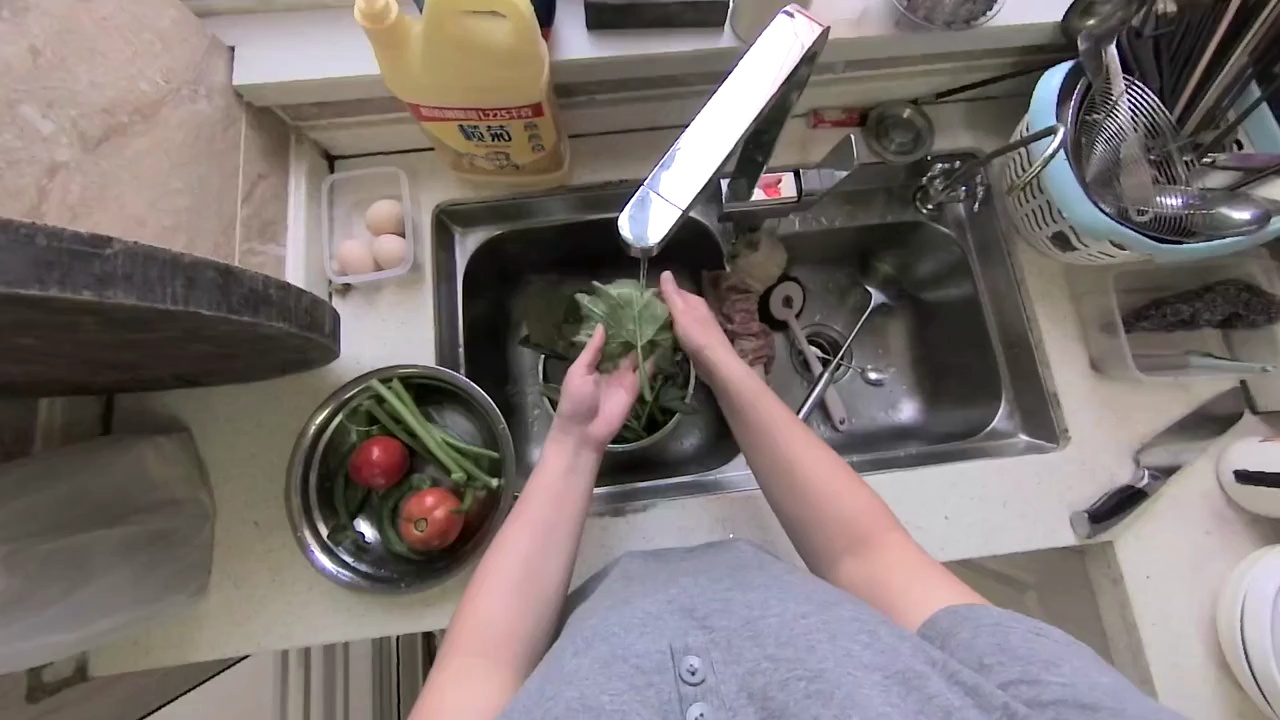
Framing example. Follow the specific instructions in your approved project.
What to expect from your profile, review and future projects.
Create a profile, complete the capture guide and understanding check, then submit it for human review. If a project matches your expertise, the team can send an invitation with its brief and pay terms.
Approval adds you to the contributor pool. Invitations depend on project needs, your location, equipment and relevant experience. You review the terms before choosing whether to participate.
Explore the sectors and apply or register interest where available. Your profile records your chosen sector; paid recording assignments are issued separately by invitation.
You can register with your country and city. Eligibility and recording locations are checked for each project; not every project is available in every country.
Human reviewers assess your practical experience, equipment, possible recording permissions and capture understanding against project requirements. The short understanding check covers recording instructions; it does not make a recruitment decision.
Practical professions across our 12 sectors. Each sector page explains the tasks, expected experience and current availability. Individuals and teams can apply.
Keep your experience, setup and availability up to date, and check your contributor space for feedback or invitations. Wait for an approved assignment before recording or buying equipment.
Your saved profile remains available for review and possible matching. Return with the same email to check its status. You can also withdraw your application from your contributor space.
No. Approval means you can be considered for suitable projects. It does not guarantee an assignment, income or a start date. Compensation is specified in each approved invitation.
An invitation appears in your contributor space, with an email notification. Review the task, permissions, usage rights, quality criteria and payment terms before accepting.
Your experience helps the team assess project fit. The guide and short check confirm your understanding of framing, permissions and recording rules. Project calibration comes before production recording.
Sign in to your contributor space to see your saved profile, review status, feedback and project invitations. Transactional emails notify you of relevant updates.
Yes. Use “Update or reapply” in your contributor space. Updating a submitted or approved profile returns the application to draft for a fresh review; existing assignments and earnings remain available.
Use supraway.ai and app.supraway.ai to reach the official site and contributor space. If you cannot verify a message, contact support@supraway.ai directly. Never share your sign-in code.